Node graph editor
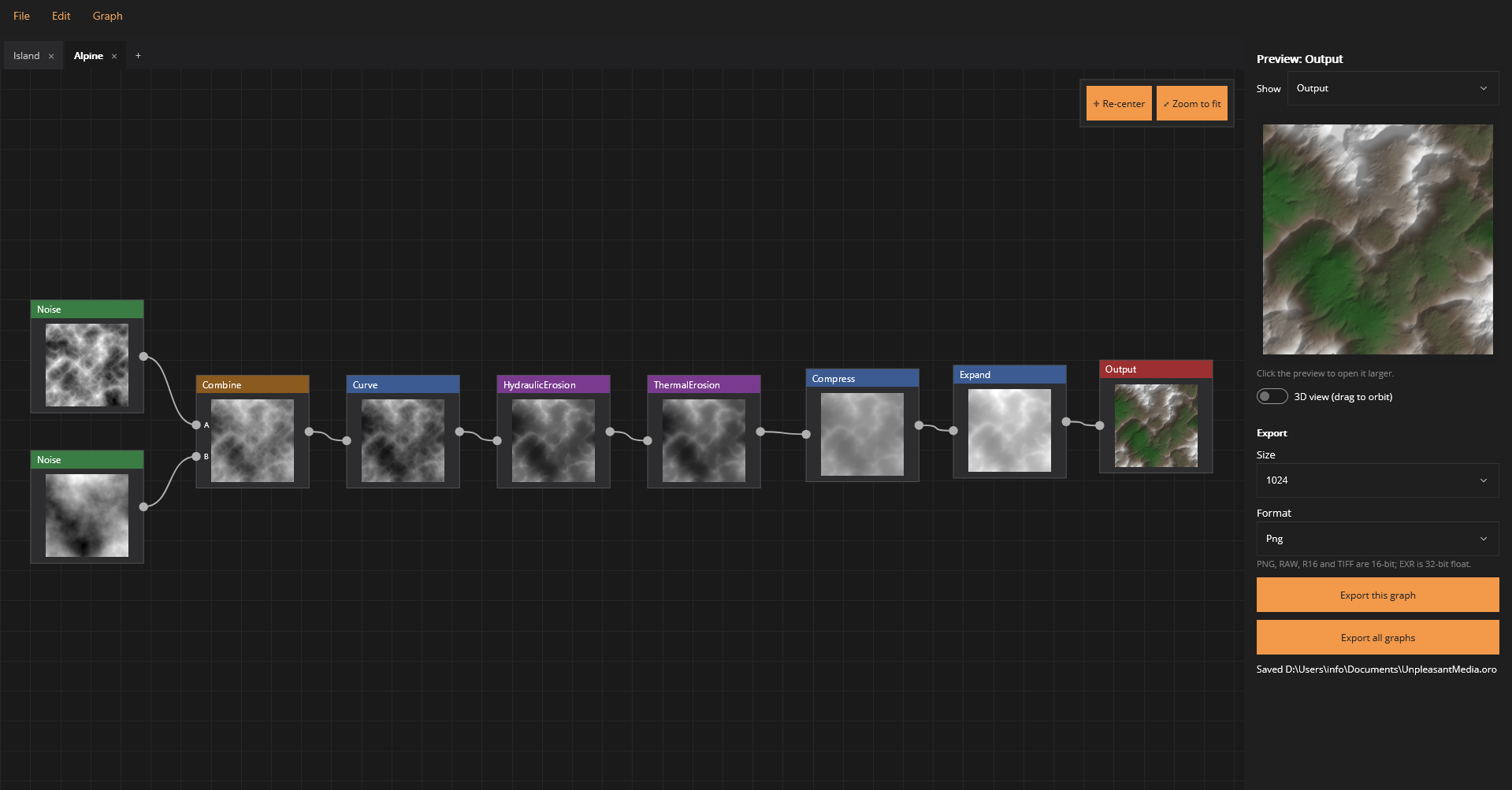
Live thumbnails on every node and incremental evaluation: only what changed is recalculated, and previews update as soon as you let go of a slider.
 Terrain heightmap generator
Wire noise, shapes, rivers and erosion together in a node graph — and export production-ready heightmaps for your engine.
Oros · “mountain” + graph
OroGraph builds terrain the way a pipeline does: each step is a node, and every node shows a live thumbnail of its result. Start from fractal noise or a hand-drawn coastline, combine and reshape it, carve rivers, then let rain and gravity wear it down.
Change a setting and only the affected nodes recalculate. When it looks right, export a heightmap your engine can read — at up to 4096 × 4096.
The editor
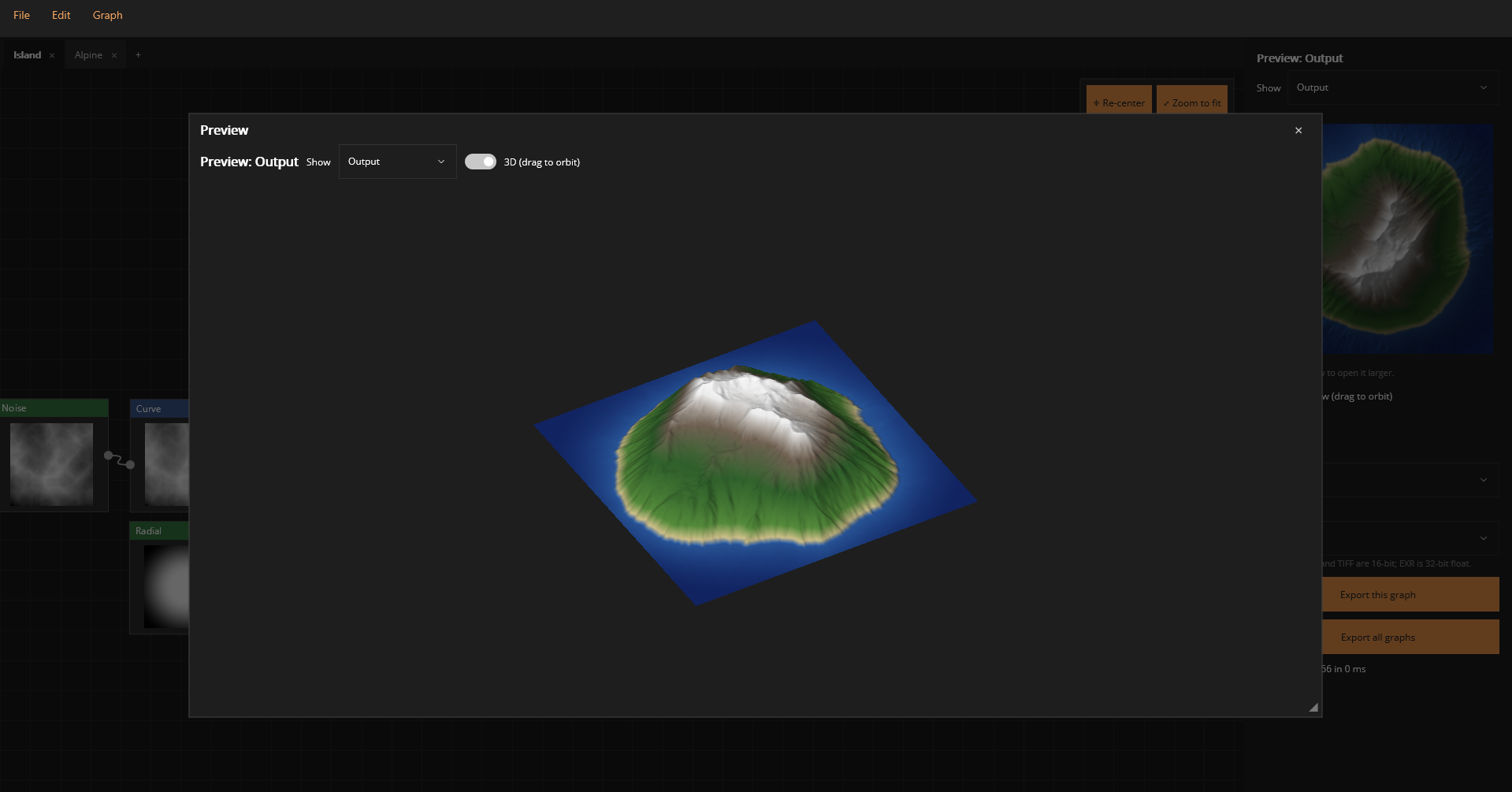
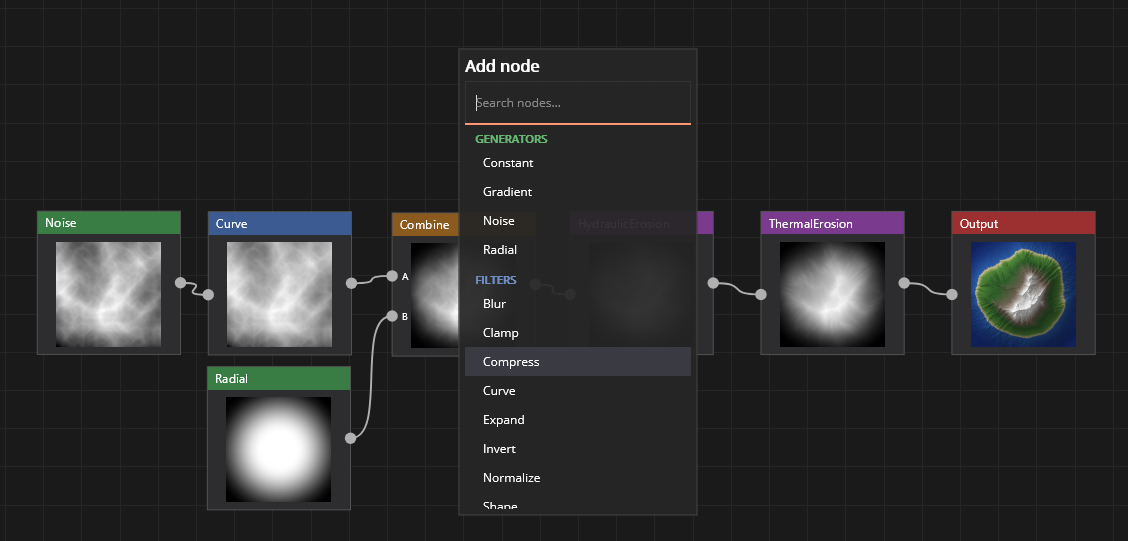
Right-click for a searchable node menu, drag wires between ports, box-select and move groups. The preview follows the output — or whichever node you’re working on — in 2D or as an orbitable 3D landscape.
Features
Live thumbnails on every node and incremental evaluation: only what changed is recalculated, and previews update as soon as you let go of a slider.
Collapse a group of nodes into one reusable function with named inputs and a single output. Open it in its own tab to tweak what’s inside.
Drop a source point and water finds its own way downhill to the map edge, meandering and widening as it goes — or floods the basin into a lake.
Multi-threaded hydraulic and thermal erosion carve valleys, deposit sediment and collapse cliffs into scree. Every result is reproducible from its seed.
Draw paths and areas right on the terrain to lower, raise or flatten it — ridges, plateaus, coastlines — with an optional soft falloff profile.
PNG, RAW, R16 and TIFF at 16 bits, or EXR at 32-bit float, from 256 to 4096 pixels square. Export one graph or every graph in the project at once.
A typical graph
Layer fBm, ridged and billow noise, gradients and radial masks — each with its own seed, scale and domain warp.
Curve, terrace, compress and expand the heights; blend layers through masks; draw shapes where you want land or sea.
Place a river source or a lake. Depressions are filled first, so water always finds a realistic way out.
Rainfall droplets cut channels and fans; thermal passes soften slopes that are too steep to stand.
Check it in 3D, then write a 16-bit or float heightmap for Unreal, Unity, Flax, Godot or Blender.
Mountains are just noise that has been rained on for a very long time.
The idea behind every OroGraph graph
The toolbox
Grouped by what they do, colour-coded the same way as in the editor.
Export
Projects are compact .oro files holding any number of graphs as tabs, each with its own undo history. Unsaved work is restored when you reopen the app.
OroGraph runs on Windows 10 and 11. The installer adds a Start-menu entry, registers .oro projects and creates a projects folder in your Documents.